
JOIN THE WEBINAR
LayOut Essentials for SketchUp Users
Live 2-session webinar series · Tues/Thurs, April 7 & 9, 2026 · 1:00 - 2:30 PM ET
A focused 2-session live online course for SketchUp users who are ready to turn their models into plans, elevations, and simple, client-ready documents in LayOut.
LayOut Essentials is designed as a next step once you’re comfortable modeling in SketchUp. Over two sessions, you’ll learn how to send a model to LayOut, set up scaled views, add dimensions and notes, and export a clean PDF you can share with clients, or collaborators.
→ You can take this right after SketchUp 101: Essential Skills for Beginners, or join on its own if you already know your way around SketchUp.
LayOut Essentials for SketchUp Users
Tues/Thurs, April 7 & 9, 2026
1:00 - 2:30 PM ET
Who this is for
→ The focus is practical: a small set of LayOut skills you can use immediately on real projects.
This class is for you if:
-
You’re comfortable with basic SketchUp tools and navigation
-
You have a model (or models) you’d like to turn into drawings
-
You’ve opened LayOut and felt unsure where to start—or haven’t opened it yet
Great fit for:
-
Interior designers
-
Architects and design teams
-
Contractors and design-build professionals
-
Educators and students
-
Anyone who wants simple, readable plans and elevations from their SketchUp models
→ A strong fit for busy schedules - because you can learn in focused chunks without travel, and replays are included so you can revisit the material or catch up if you miss a session.
What you’ll be able to do in 2-sessions
→ The goal is to take the models you’re already building and turn them into clear, professional-looking drawings.
By the end of LayOut Essentials, you’ll be able to:
-
Send a SketchUp model to LayOut and keep the link stable
-
Set up pages, paper sizes, and a simple title block
-
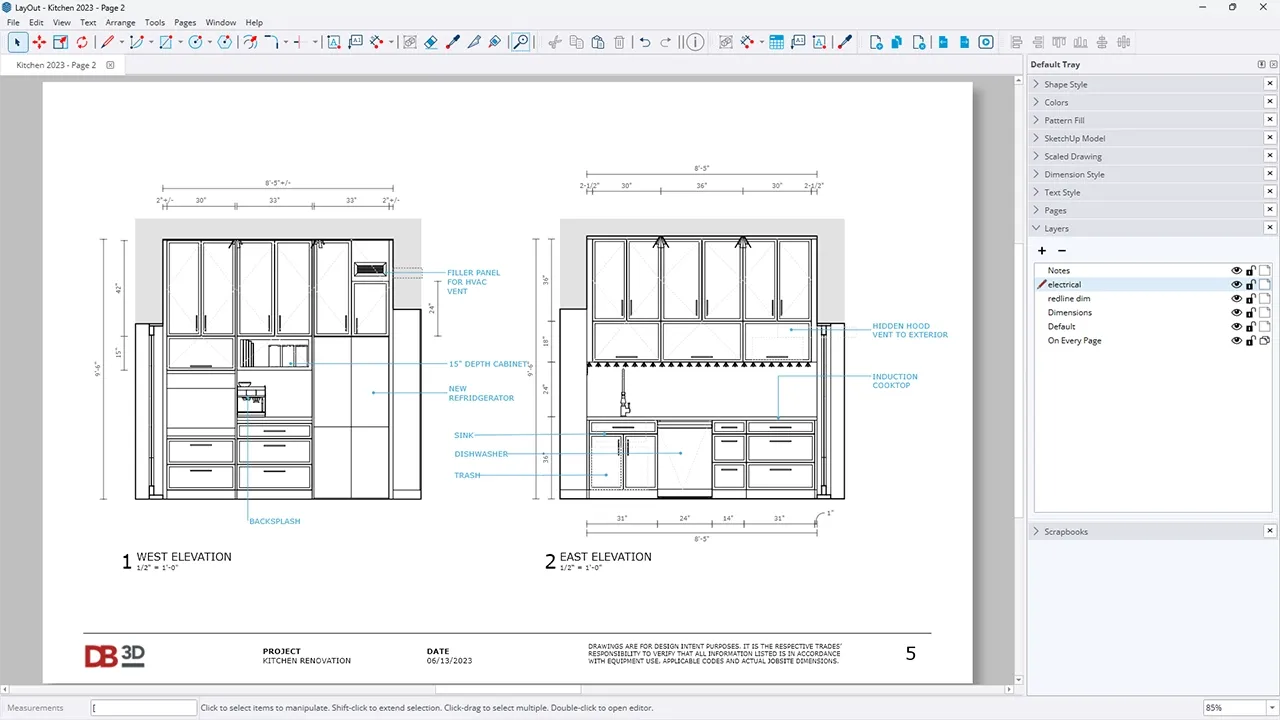
Create scaled floor plans, elevations, and detail views from your model
-
Add dimensions, labels, and notes that are clear to clients and teams
-
Update drawings when the SketchUp model changes—without rebuilding layouts
-
Export a crisp PDF sheet set you can share or print
Meet Your Teacher
Hi, I'm Dan
and all in-person workshops and live webinars are led by me.
I’m the founder of SketchUpTrainer.com
—an educator, designer, and (last but not least) a SketchUp expert.
- 15+ years of experience as a SketchUp trainer & consultant
- 10 years teaching SketchUp at the college level
- Trained thousands of architects, designers, and contractors
- Since 2007, I’ve been helping professionals master 3D modeling, streamline their workflows, and bring complex projects to life.

"My approach is interactive and project-based—simple and dependable—focused on clean models, reliable workflows, and client-ready visuals.
I put a strong emphasis on foundational skills, because in design and architecture, everything depends on a strong foundation."
Session 1
From SketchUp model to scaled drawings
-
How LayOut uses your SketchUp model
-
Sending a model to LayOut and keeping the connection intact
-
Setting up a document: paper size, units, and basic title information
-
Creating viewports for plans and elevations
-
Applying and managing scale so drawings are accurate
-
Using scenes from SketchUp to control views inside LayOut
-
Building a simple multi-page layout you can reuse as a starting point
→ You’ll leave Session 1 with a working LayOut file that includes a basic plan and elevation view pulled from your SketchUp model.
Session 2
Dimensions, notes, and export-ready sheets
-
Adding dimensions that read clearly and behave as expected
-
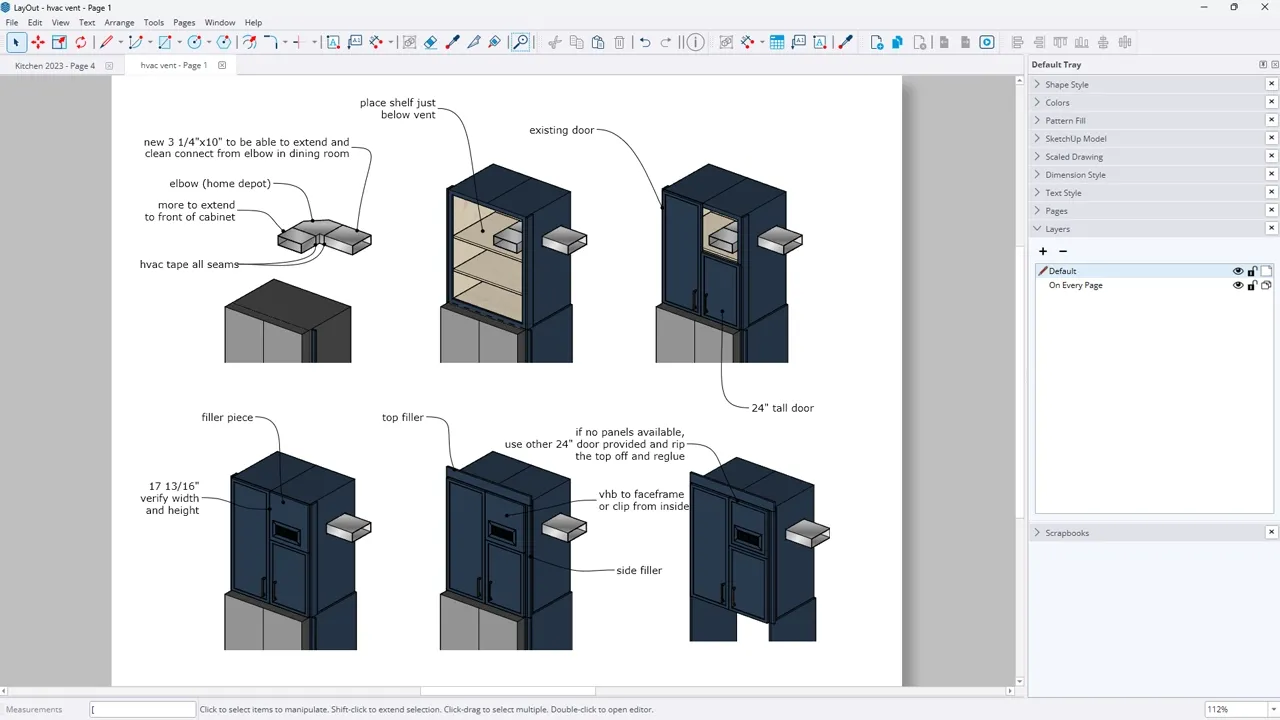
Labels, text, and callouts to communicate key information
-
Lineweights, styles, and simple graphic tweaks for cleaner drawings
-
Managing multiple viewports on a page (detail views, close-ups, alternates)
-
What happens when the model changes: updating vs. relinking
-
Export settings for a clean, shareable PDF
→ By the end of Session 2, you’ll have a small but complete sheet set—plan, one or more elevations, and notes—plus a repeatable approach you can use on future projects.
What’s included / how it works
→ This is designed to feel like a focused lab: clear instruction plus space to see how LayOut fits into your day-to-day work.
When you join this live online LayOut course, you get:
-
2 live sessions (90 minutes each)
Focused lessons, live demos, and guided walkthroughs of each workflow. -
Recordings of every session
Helpful if you can’t attend live or want to revisit specific techniques. -
Practice files and examples
So you can follow along and adapt the setups to your own projects. -
Live Q&A in each session
Ask questions, see common issues solved, and get clarity on your own use cases.
Attend live or on your own schedule
All sessions are recorded and shared shortly after each class. Whether you join live or prefer to learn at your own pace, you’ll have full access to the material.
Some participants attend every session live, while others catch up with the recordings—both approaches work well, and you’ll receive the same content, demos, and resources either way.
Please note that live Q&A and support are available during the scheduled course dates. If you’re watching recordings after the series has ended, I’m happy to help with brief follow-up questions when possible, but in-depth support may require joining the next live run or booking private training.
Requirements
To get the most out of this class, you’ll need:
-
Basic familiarity with SketchUp tools and navigation
-
A SketchUp model (even a simple one) to use in LayOut
-
SketchUp Pro 2026 (trial or licensed) with LayOut installed
-
Desktop or laptop capable of running SketchUp and LayOut reliably
-
Stable internet connection for live sessions and streaming
-
(Recommended) A 3-button scroll-wheel mouse for smoother navigation
This course is designed around the desktop version of SketchUp Pro and LayOut, not SketchUp for iPad or SketchUp Go (web).
If you’re unsure whether this class is right for you, please reach out before registering—
I’m happy to answer any questions or help you choose the best fit. If you encounter difficulties during the course, I’m committed to providing support so you can get the most out of the experience.
Frequently Asked Questions
Do I need to complete SketchUp 101 first?
Not necessarily. If you’re comfortable moving around in SketchUp, using core tools, and working with basic groups/components, you’re ready. SketchUp 101 is a great lead-in if you’d like a stronger foundation first.
Is this for absolute beginners to SketchUp?
No. We won’t cover how to model from scratch. This class assumes you already have (or can create) a simple model and want to focus on LayOut.
Will the sessions be recorded?
Yes. You’ll get access to the recordings after each session, so you can review or catch up if you can’t attend live.
Will we build full construction drawing sets?
We’ll focus on core skills: plans, elevations, basic details, dimensions, and notes. You’ll leave with a solid starting point you can expand into more detailed sets if needed.
Can I get help with my own LayOut file?
There will be time for questions and quick troubleshooting during the live Q&A, and you’re welcome to ask about your project. For more in-depth, project-specific support, private training or the SketchUp Trainer Learning Pass (with Project Clinics) is a better fit.
What happens if I have technical issues during class?
If something comes up on your end (internet drops, computer crash, etc.), you’ll still have access to the full session recording and practice files. If there’s ever a major issue on my end that disrupts a session, I’ll reschedule or add additional support time so you’re not missing material.
Do you offer refunds if it doesn’t work out for me?
Because this is a live series with limited spots, and because you get access to recordings, I’m not able to offer refunds once the course starts. I also can’t offer refunds or credits for software incompatibility, trouble installing SketchUp, or using unsupported devices (like iPads or older systems). It’s important to make sure your system can run SketchUp Pro before registering.
