
Whether you’re running into workflow bottlenecks, tackling complex modeling challenges, or just need an expert to look over your setup, private training gives you focused, project-based support.
What you’ll walk away with
Targeted problem-solving
We’ll identify what’s slowing you down in SketchUp or Enscape and fix it with clear, step-by-step guidance—directly in your files.
Live expert coaching
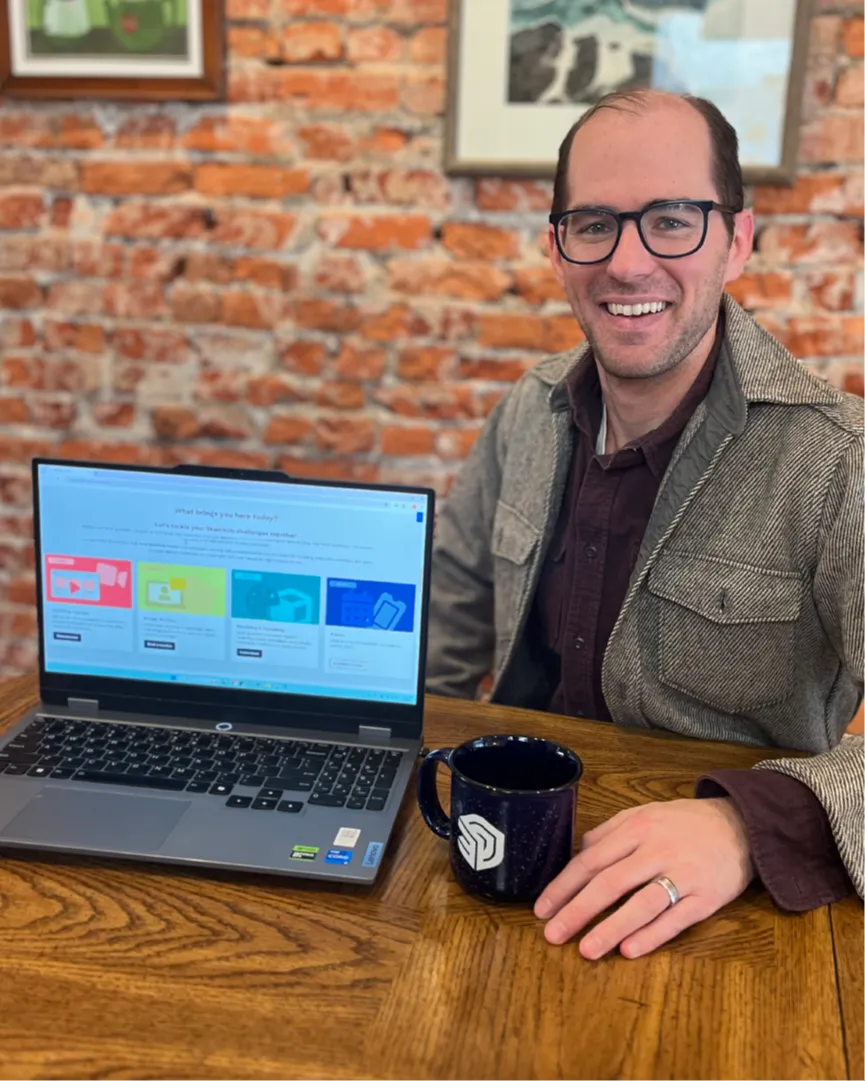
Work with me, Dan Brown, in real time. Share your screen, ask questions, and get immediate feedback on your models, workflows, and deliverables.
Project-specific solutions
Bring your client work, internal standards, or upcoming presentations. You’ll leave with a concrete plan you can reuse on future projects.

Devon Zimmerman, Curator of Modern and Contemporary Art, Ogunquit Museum of American Art
"As a small museum with a limited staff, the implementation of SketchUp has been transformative in how we conceive, plan, stage, and install exhibitions. This shift would not have been possible without Daniel’s foundational modeling of the museum and his subsequent staff training. Building on that strong groundwork, his clear and accessible instruction has made SketchUp an essential tool for the institution as we undertake increasingly ambitious projects."
Individual Options
1:1 Private Online Training
$199 per 90 min session
1 session → Quick, targeted help on a specific issue or workflow.
3–5 sessions → Build skills, streamline your workflow, and make real progress on one or two key projects.
10 sessions → Take a project (or system) from start to finish with step-by-step support and clear standards you can reuse.
Booking Guidance
Unsure where to start? Begin with 1 session. If you need more time, we’ll choose the right package after we meet.
You’re welcome to send project files or questions ahead of time so we can hit the ground running.

Kevin Moyer, Owner, Vermont Frames
“Dan is a phenomenal teacher. He intuitively understands how to build up the basics skills and workflows for a variety of different SketchUp use cases. I work in a niche industry with unusual requirements and he was able to come up with a SketchUp curriculum for me that had me fluent with the basics SketchUp in a matter of weeks. Dan is also just a pleasure to work with and a lot of fun to learn from.”
Team Training
Online & In-person
Group training is ideal for teams who want consistent workflows and shared standards.
Training Format
Online (live)
Interactive sessions delivered remotely. Training can include a mix of group sessions, 1:1 support, and ongoing check-ins.
All sessions are recorded for replay and reference.
In-Person (on site)
A customized, hands-on training experience delivered at your office or studio.
I’m based in Philadelphia and regularly work with clients across the Mid-Atlantic. I’m also open to traveling.
How it works
Every program starts with a planning call to align on:
- your current tools and deliverables
- the types of projects you’re working on
- the outcomes you want from training
Next Steps
Interested in team training? Let’s connect to align on your goals, format (online or on-site), location, and timeline. I’ll follow up with a custom proposal.
→ Please complete the form to the right, and we’ll be in touch.
Request Form:
Online & In-person Training
Everything you need to know about private 1:1 or group training
Getting started
How does an in-person or online 1:1 private training work?
Private SketchUp training is a live, personalized session where you work directly with me, Daniel Brown, a leading SketchUp expert. Whether you need to master SketchUp fundamentals, optimize your workflow, or solve real-world project challenges, I’ll tailor each session to your needs.
Can I request a specific topic for my training?
Yes! Each session is fully customized to focus on your goals. When booking, you can specify what you’d like to cover. Popular training topics include:
- Advanced SketchUp modeling & workflow optimization
- Rendering with Enscape & visualization techniques
- Importing, exporting & managing external files
- SketchUp extension recommendations & setup
- Troubleshooting SketchUp issues & project challenges
Session details & scheduling
How long is an online private training session?
Sessions are typically 90 minutes.
If you are interested in a 3 hour session, you can book two 90 minute sessions back to back.
Longer training options and group sessions are also available. Let’s talk!
Do you offer training for teams or companies?
Yes! I offer customized group training for design firms, architecture studios, and businesses looking to enhance their SketchUp skills. Whether your team needs foundational training or advanced workflow optimization, I’ll tailor the sessions to fit your specific needs. Reach out to discuss your team’s goals, and I’ll create a training plan that works for you.
Can I book multiple online sessions?
Absolutely! Many clients book multiple sessions to continuously refine their skills and deepen their expertise. If you're looking for ongoing training, I’d be happy to discuss your goals and create a customized training plan that fits your needs.
Training format & location
How does online training work for 1-on-1 sessions?
Online private training is seamlessly conducted through your web browser using Kajabi’s coaching platform. Simply log in, and your session will begin. I am also open to hosting on Zoom or Teams.
- Live Screen Sharing & Demonstrations – Follow along as I guide you through SketchUp techniques in real time.
- Interactive Q&A & Troubleshooting – Ask questions and get instant expert insights.
- Hands-On Guidance – Work on your own projects with direct expert support.
- Session Recordings – Each session is automatically recorded and uploaded for future access.
How does online training work for group training sessions?
Group training sessions are typically conducted via Zoom, but I can also use your company’s preferred conferencing tool, including Microsoft Teams, Google Meet, etc.
For custom group training options, contact me to discuss your team’s needs, preferred setup, and scheduling.
Can private training be conducted in-person?
Yes! I offer in-person SketchUp training and am based in Philadelphia. I frequently travel for training sessions throughout the Mid-Atlantic region.
Outside my region? Travel may still be an option—let’s discuss your needs and determine the best solution, whether that’s an in-person visit or a customized remote session tailored to your workflow.
Where are in-person training sessions held?
I’m based in Philadelphia, PA, and in-person training sessions can be held at:
Your office or workspace – I can come to your location for a hands-on, customized training experience.
A designated location – If needed, we can arrange a neutral training space for the session.
If you're outside the Philadelphia area, travel options can be discussed. Let’s find the best setup to meet your training needs!
How do I access my SketchUp Trainer account and session recordings?
After your session, the recording and any additional materials will be uploaded to your Library under your training dashboard.
Technical requirements & preparation
What software or setup do I need?
To get the most out of your session, please have the following ready:
- SketchUp Pro installed
- A reliable internet connection
- A microphone and speakers (headphones recommended for better audio quality)
- A 3-button scroll wheel mouse (preferred for better navigation and efficiency)
- (Optional) Enscape or other extensions if you need help with rendering
Rescheduling & cancellations
What if I need to reschedule?
If you need to reschedule, you must provide at least 24 hours’ notice via email. One reschedule is allowed per booking, subject to availability.
What happens if I miss my session?
If you do not attend your scheduled session and have not provided prior notice, the session will be considered a no-show.
⛔ No refunds or reschedules will be issued for no-shows.
