
SketchUp Trainer Course Library
All courses are included with a SketchUp Trainer Course Library & Support Membership.
Once you join, you’ll have full access to the Course Library plus ongoing Project Clinic and Community Hub support.
SketchUp Trainer MembershipSignature Method
The FRAME Workflow Path
At SketchUp Trainer, we’ve developed a simple, repeatable method to help you move from setup to finished deliverables—step by step. This is the simplest way to choose what to learn next. Each step is outcome-based and ends with a deliverable you can apply.
Inside the Course Library, courses are grouped by the FRAME Workflow Path.
Start at Step 1, or jump to the step that matches your goal.
What does each FRAME step help you create?
F — Foundation: set up SketchUp and build your first model
R — Repeatable Workflows: model clean so your work stays easy to edit
A — Approval Views: create views that communicate decisions clearly
M — Manage Revisions: update the model while keeping everything organized
E — Export & Deliver: produce shareable outputs (PDFs, sheets, visuals)

Step 1
Foundation
Setup Standards
Start every project with a clean workspace and a simple file setup that keeps your models organized and predictable.
Modules
SketchUp Setup Essentials – Templates, Toolbars, and Preferences
Set up your workspace, templates, and core preferences so SketchUp opens ready to work.
Model a Bedroom – Core Tools, Navigation, and Clean Habits
Model a simple bedroom while learning core tools, navigation, and clean modeling habits you’ll use on every project.
File Setup Basics – Saving, Versions, and Project Folders Coming soon!
Step 2
Repeatable Workflows
Project Recipes
Build models using proven project recipes—so your work stays clean, editable, and easy to expand.
Modules
Living Room from Scratch – Groups, Components, and Tags
Build a living room from the ground up using clean structure so the model stays easy to edit.
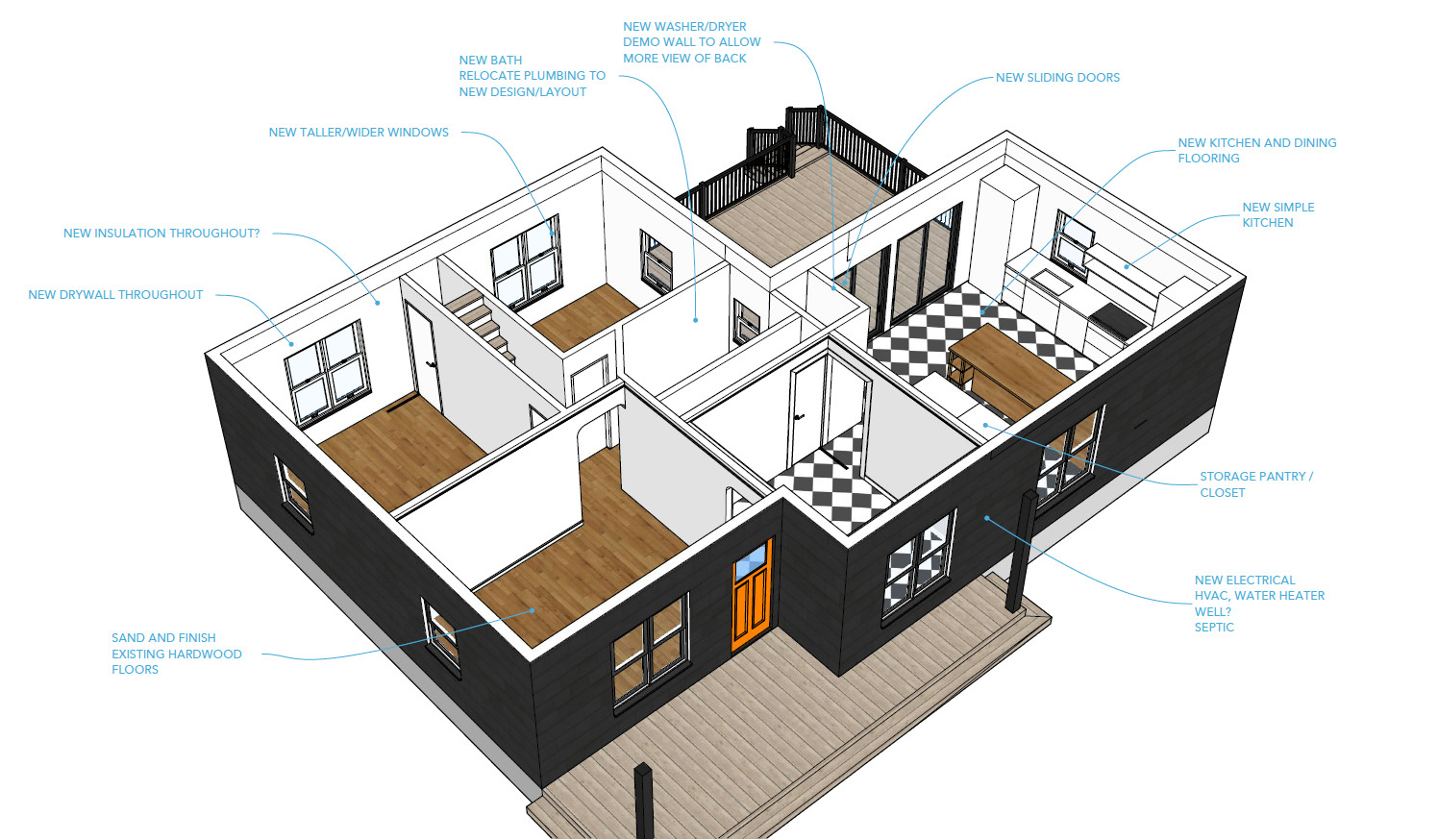
Bathroom Remodel – Fixtures, Finishes, and Layout
Build a bathroom model with fixtures, tile, and finishes to create a clear, client-ready design.
Build from a Floor Plan – Trace, Scale, and Model Walls
Import and scale a floor plan, then trace and model walls to create an accurate base model.
Clean Up 3D Warehouse Models – Resize, Simplify, and Integrate
Take a 3D Warehouse model, clean it up, resize it, and make it behave properly in your own project.
Terrain & Site Modeling – Working with Sandbox Tools
Use Sandbox Tools to create terrain from contours and drape linework for simple site and landscape models.
Project Template – Start-to-Finish Structure for New Models Coming soon!
Step 3
Approval Views
Decision Set
Create a consistent set of scenes, sections, and option views so decisions are clear and easy to compare.
Modules
Approval Views in SketchUp – Scenes, Sections, and Styles
Build a consistent set of scenes, section cuts, and styles so options are easy to compare and approve.
Option Sets – Presenting Design Alternatives with Tags and Scenes Coming soon!
Camera & Composition – View Angles That Communicate Clearly Coming soon!
Simple Walkthroughs – Scene Animations for Quick Flythroughs Coming soon!
Step 4
Manage Revisions
Update Loop
Apply feedback without rebuilding by using a repeatable change loop that keeps your model structure—and your scenes/tags—stable.
Modules
Manage Revisions – Updating the Bathroom Remodel Cleanly
Apply client changes to the bathroom model while keeping groups, components, tags, and scenes stable.
Change Requests in Multi-Room Projects – Keep Views and Tags Stable Coming soon!
Version Strategy – Save Files, Backups, and “Roll-Back” Points Coming soon!
Managing Options Over Time – Phasing and Alternates Coming soon!
Step 5
Export & Deliver
Delivery Pack
Create a consistent delivery package—named, organized, and ready to send. Most projects run through LayOut for sheets and scaled views.
Modules
LayOut Basics – Sheets, Viewports, and Dimensions
Build a simple LayOut document set with scaled views, dimensions, and a clean PDF export workflow.
Enscape Essentials – Real-Time Rendering from SketchUp
Set up views, lighting, and materials so you can quickly generate consistent, client-ready images directly from your SketchUp models.
Slide Presentation Pack – Plans, Elevations, and Perspectives Coming soon!
Trimble Connect - Share Your Model In Real Time Coming soon!
Exporting for Clients and Teams - Exploring Miro Coming soon!
Extras
Workflow Booster
Choose Based on Your Goal
These are focused add-ons that plug into the FRAME workflow. Choose the one that matches what you want to do next.
Extensions & Plugins
Profile Builder 4 (Best after Step 2)
Automate walls, railings, and assemblies to speed up repetitive modeling.
Artisan 2 (Best after Step 2)
Model organic forms like terrain, curved walls, and sculpted details with more control.
Bevel Tool (Best after Step 2)
Add clean edge details for furniture and architectural elements.
Skimp 2 (Best after Step 2)
Lighten heavy models and import common formats (GLB, USDz, FBX, OBJ) more smoothly.
SketchPlus (Best after Step 2)
Speed up everyday modeling with tools like Draw Wall and Align for clean layouts.
Workflow Tips & Tricks (Best after Step 2–5)
Time-saving methods for roof details, live components, and faster interior edits.
Extras
Bonus Library
Choose Based on Your Goal
Recorded in earlier versions of SketchUp, with workflows that still translate well today.
Legacy Vault (All Skill Levels)
A deep archive of lessons on materials, terrain, LayOut, and more that you can dip into alongside the FRAME steps.
Join the Course Library & Support Membership and start the FRAME Workflow!
SketchUp Setup Essentials
Configure Your Workspace
Learn how to customize your workspace, optimize navigation, and understand core drawing tools.
5 Lessons | 1 Hour
Course Library FAQs
What’s included with membership?
Full access to the Course Library, plus ongoing support through Project Clinics and the Community Hub.
How long do the courses take?
Each course is designed to be focused and outcome-based, with a clear deliverable at the end.
Do these workflows apply to my projects?
Yes. FRAME is built around deliverables and workflows that translate across interiors, woodworking, construction, architecture, and more.
What are Project Clinics?
Live support sessions where you can bring questions from your own project and get help applying the workflow.
Where should I start?
Start with SketchUp Setup Essentials, then begin Step 1 in the FRAME Workflow Path.
Can I jump to the step I need most?
Yes. You can start anywhere in the Path based on your next goal, and follow the steps from there.
Is this live or self-paced?
The Course Library is self-paced. Live support is provided through Project Clinics and the Community Hub.
What do I need to take these courses?
A computer running SketchUp and an internet connection to access the library.
What is the Community Hub?
A member space to ask questions, share progress, and get feedback between sessions.
★★★★★
"So easy to understand!"
The training was incredibly well-structured, and the explanations were crystal clear. It was easy to follow and apply what I learned immediately.
— Virginia Roaa
March 11, 2025
★★★★★
"キャプションが見られない"
(Review in Japanese – the visuals were impressive.)
— Kaori Matsunaga
March 02, 2025
★★★★★
"Explained well till now"
I understood the concepts clearly and was able to implement them quickly.
— Industry Professional
February 27, 2025
★★★★☆
"Really helpful tutorial."
The tutorial was engaging, though I wish it had versions for both PC and Mac.
— Stephen Campbell
February 27, 2025
★★★★★
"So easy to understand"
The session was very accessible and the instructor explained every detail clearly.
— Baden Behrens
February 18, 2025
★★★★★
"Excellent course, well-structured"
Every lesson built perfectly on the previous one. I highly recommend SketchUp Trainer!
— Alexandra Nicolaidis
January 11, 2021
★★★★★
"Great simple instructions!"
The pacing was perfect, with every concept explained using clear visuals and practical examples.
— Emily Hergert
February 13, 2025
★★★★★
"I recommended this workshop to my team"
The actionable insights and clear delivery made this experience invaluable—a must for anyone wanting to improve their SketchUp skills.
— Anonymous Reviewer
February 27, 2025
★★★★★
"The workshop was very helpful!"
The clear explanations and live support made it easy to apply new techniques immediately.
— Londa
February 27, 2025
★★★★★
"The content was excellent and very well explained."
The session was structured to provide clear, concise information that was immediately applicable.
— Unnamed Reviewer
January 31, 2021
★★★★★
"Insightful and engaging course!"
The instructor broke down complex concepts into simple, actionable steps that made the learning process enjoyable and effective.
— Valued Participant
January 01, 2021
★★★★★
"A transformative experience for my design workflow."
The hands-on approach and detailed explanations gave me new ideas and techniques that transformed my projects.
— SketchUp Enthusiast
January 17, 2021
★★★★★
"Fun, fast-paced, and full of practical tips."
The energy in the sessions was contagious, and every tip was immediately useful for my design projects.
— Guest Contributor
January 18, 2021
★★★★★
"Excellent course, great tutor!"
This was the best course I have ever taken – straightforward, easy to follow, and extremely informative.
— Jeisson Rodriguez
January 07, 2021
★★★★★
"The basic modelling techniques are well explained."
Attention to detail is excellent; the course design really helps you avoid bad habits. I look forward to more content!
— Melvyn Jordan
January 01, 2021
★★★★★
"So far, super easy to follow!"
I can easily get along with the course – great job by the instructor!
— Lady Lanzanas
January 31, 2021
★★★★★
"Excellent course, very informative!"
The instructor’s pace and clarity exceeded all my expectations.
— Daleska Siroki
January 29, 2025
★★★★★
"The best course I have ever taken!"
Very straightforward and informative – I learned a lot. I’d love to see an advanced course from this instructor next.
— Sundharesk Kumar
January 07, 2021
★★★★★
"A must-attend for anyone serious about SketchUp!"
The training provided deep insights and practical techniques that have significantly improved my workflow and design capabilities.
— Unnamed Reviewer
January 07, 2021
