JOIN THE CLASS
SketchUp Foundations:
2-Day In-Person Intensive (Center City Philly)
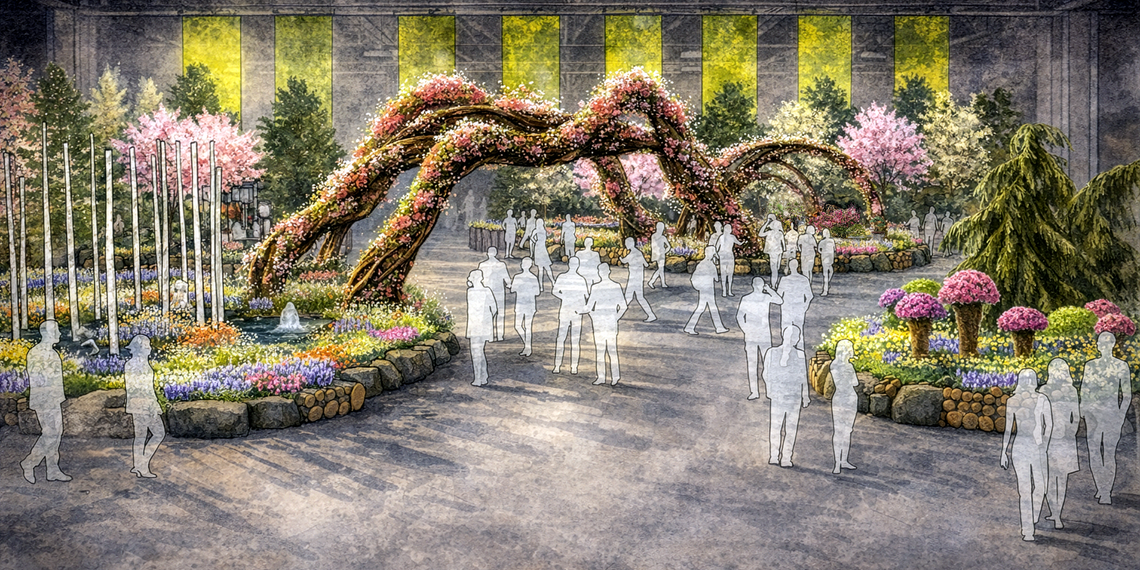
A two-day, hands-on SketchUp intensive in Philadelphia — scheduled during the 2026 PHS Philadelphia Flower Show (theme: Rooted: Origins of American Gardening) — featuring a special Behind the Build segment where I break down my rendering workflow and large-scale design process.
Live 2-day in-person class · Tuesday–Wednesday, March 3–4, 2026 · 9:00am–4:00pm
Racquet Club of Philadelphia (215 S 16th St)
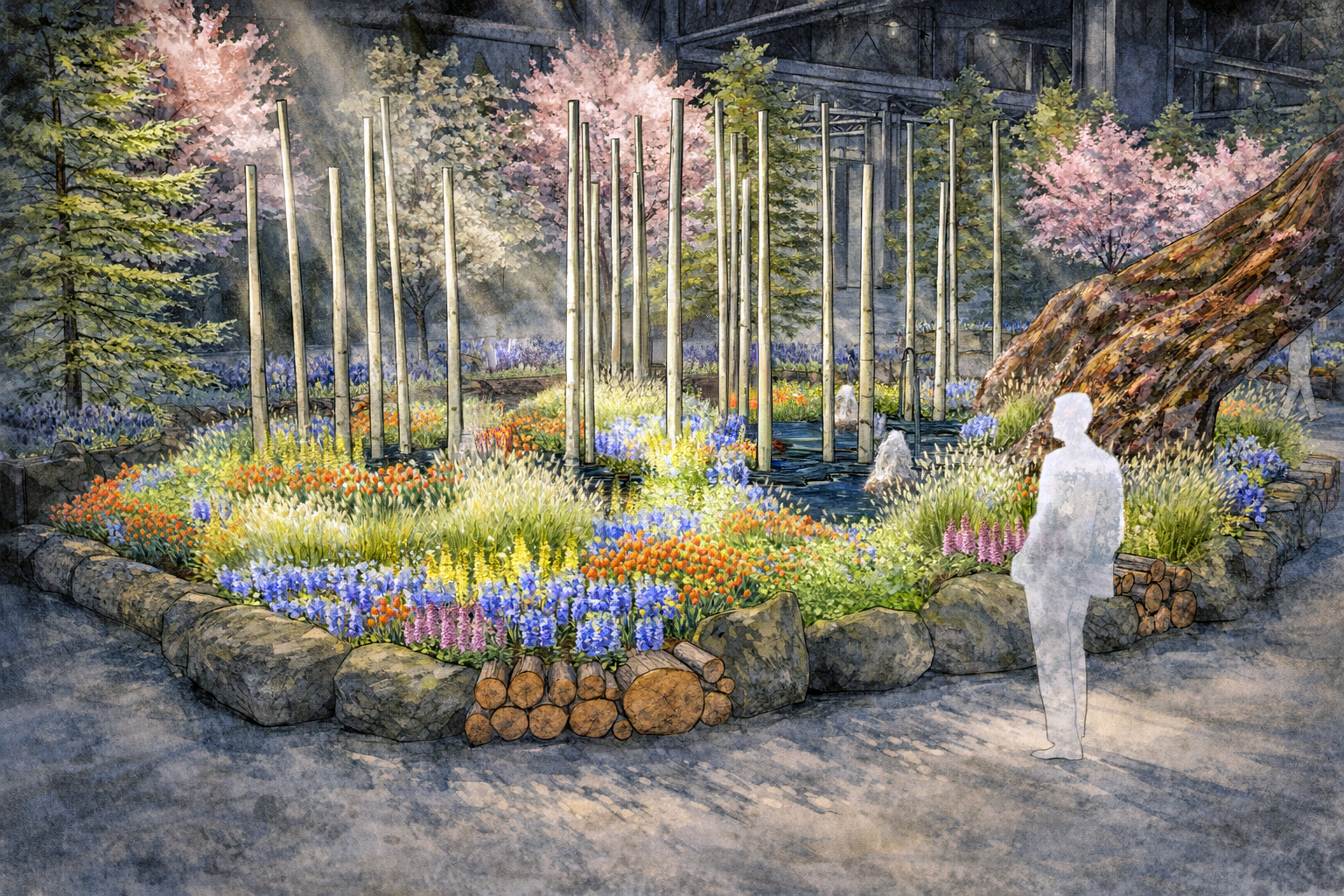
For the past decade, I’ve had the privilege of collaborating with the Pennsylvania Horticultural Society (PHS) on the Philadelphia Flower Show. The renderings currently featured on the Flower Show website were created by me, and during this intensive I’ll walk you through the process behind them — from SketchUp model to presentation-ready visuals.
2026 PHS Philadelphia Flower Show · Rooted: Origins of American Gardening
Feb 28–Mar 8, 2026 · Pennsylvania Convention Center (1101 Arch St)
Who this is for
This class is for you if:
-
You want a strong SketchUp foundation that supports real projects
-
You’ve learned a few tools and want a clear, repeatable workflow
-
You want in-person instruction with hands-on practice and real-time feedback
-
You’re coming to Philly during Flower Show week and want to pair learning with inspiration
Great fit for:
-
Interior designers
-
Architects and students
-
Landscape / exhibit / experiential designers
-
Contractors and design-build professionals
-
Educators and serious hobbyists
SketchUp Foundations:
2-Day In-Person Intensive
Tuesday–Wednesday, March 3–4, 2026
9:00am–4:00pm both days
What you’ll be able to do in 2 days
By the end of SketchUp Foundations, you’ll be able to:
-
Set up SketchUp Pro and customize your workspace to support real projects
-
Use core tools (Line, Rectangle, Arc, Push/Pull, Offset, Move, Tape Measure) with confidence
-
Create and edit accurate 3D models
-
Use Groups + Components to model efficiently and stay organized
-
Organize visibility using Tags
-
Use styles, scenes, and navigation tools to present your work clearly
-
Model from photos using Matched Photo
-
Import 2D drawings and turn them into full 3D models
-
Speed up your workflow with SketchUp extensions
-
Understand how tools like Enscape create photorealistic visuals
-
Learn my Behind the Build process: how I created the renderings + how I approach large-scale design (including current Flower Show entrance-garden work)
The goal is to build foundations that make SketchUp feel easier, faster, and more reliable.
Day 1 breakdown
Day 1 – Build a Strong SketchUp Foundation
-
Set up SketchUp Pro and customize your workspace
-
Learn essential drawing tools (Line, Rectangle, Arc, and more)
-
Create and edit 3D models using Push/Pull, Offset, and Move
-
Master Groups and Components for efficient, organized modeling
-
Use styles, scenes, and navigation tools to present your work
-
Intro to LayOut for creating professional drawings and documents
Day 2 breakdown
Day 2 – Apply Techniques + Optimize Your Workflow
-
Model directly from photos using the Matched Photo tool
-
Import 2D drawings and turn them into full 3D models
-
Organize your designs with Tags for clean visibility control
-
Apply interior modeling techniques for detailed spaces and finishes
-
Speed up your process with SketchUp extensions
-
Explore how tools like Enscape create photorealistic visuals
-
Behind the Build: my rendering workflow + large-scale design process
-
Wrap up with live Q&A to reinforce key concepts and workflows
What’s included / how it works
Included with your enrollment:
-
2 full days of in-person instruction, demos, and guided practice
-
Downloadable practice files + workflows you can reuse
-
Annual SketchUp Trainer Membership ($349 value) — one year of full course access plus Community Hub & Project Clinic support
-
Certificate of Completion — to showcase your SketchUp skills and strengthen your portfolio
-
Live Q&A throughout class (and a dedicated wrap-up Q&A on Day 2)
Flower Show (optional, self-guided)
The 2026 PHS Philadelphia Flower Show runs Feb 28–Mar 8, 2026 at the Pennsylvania Convention Center, with general public hours typically 10:00 am – 8:00 pm most days (and 10:00 am – 6:00 pm on March 8). That makes it easy to visit the show after class for extra inspiration.
You can purachse 2026 PHS Philadelphia Flower Show tickets here.
Note: This class is not affiliated with or sponsored by PHS. Flower Show tickets are purchased separately.
Optional on-site lodging at RCOP
The Racquet Club of Philadelphia offers on-site accommodations. If you’re traveling in, you can request room info after registration and we’ll connect you with the Club directly (availability is limited).
Requirements / What to pack
Your class essentials
- Laptop and power cord (Mac or PC)
- 3-button scroll wheel mouse (highly recommended)
- SketchUp Pro 2025 installed (7-day free trial available)
- (Recommended) A 3-button scroll-wheel mouse for smoother navigation and modeling
- This class is designed around the desktop version of SketchUp, not SketchUp for iPad or SketchUp Go (Web-Version).
This class is designed around the desktop version of SketchUp, not SketchUp for iPad or SketchUp Go (Web-Version).
If you’re unsure whether this class is right for you, please reach out before registering—I’m happy to answer any questions or help you choose the best fit. If you encounter difficulties during the course, I’m committed to providing support so you can get the most out of the experience.
Frequently Asked Questions
Who is this class best for?
Beginners through early-intermediate SketchUp users who want a strong foundation and a clear workflow.
Do I need to attend the Flower Show?
No — it’s an optional, self-guided pairing for inspiration.
Are Flower Show tickets included?
No — tickets are purchased separately. You can purchase tickets here.
Is this class affiliated with the Flower Show or PHS?
No — this is an independent class scheduled during Flower Show week.
Will we cover LayOut and rendering?
Yes — Day 1 includes an intro to LayOut, and Day 2 includes a practical overview of photorealistic rendering workflows, plus the Behind the Build segment.
Can I stay onsite at RCOP?
Yes — RCOP has on-site accommodations, subject to availability.