
SketchUp Foundations
2-Day In-Person Workshop
Philadelphia, PA
October 22–23, 2026
9:00 AM–4:00 PM ET
$795
A hands-on, small-group SketchUp workshop designed to help beginners and self-taught users build a stronger foundation—with cleaner models, better habits, and a repeatable workflow you can carry into real projects.
If you’re new to SketchUp, mostly self-taught, or know the tools but still feel like your process gets messy or falls apart as a project grows, this workshop is for you.
Over two focused days, I’ll walk you through the essential tools and modeling concepts I want every SketchUp user to understand—but always in the context of a real workflow: setting up a project, modeling accurately, organizing your work, creating useful views, handling changes, and preparing your model for what comes next.
Because we’re working together in person and in a small group, you’ll be able to ask questions, get real-time feedback, and work through the places where SketchUp tends to get confusing. You’ll leave with a clearer process, reusable practice files, 12 professional development/contact hours, a Certificate of Completion, and 12 months of the SketchUp Trainer Learning Pass.
Workshop at a glance
Format: 2-day, in-person SketchUp workshop
Dates: Thursday–Friday, October 22–23, 2026
Time: 9:00 AM–4:00 PM ET both days
Location: Racquet Club of Philadelphia, Center City Philadelphia
Best for: Beginners and self-taught / early-intermediate SketchUp users
who want a stronger foundation and a more repeatable workflow
Education hours: 12 professional development/contact hours
Certificate: Certificate of Completion included
Bonus: 12 months of the SketchUp Trainer Learning Pass included
Class size: Small-group format with hands-on guidance and real-time feedback
What you’ll be able to do in 2 days
- Set up SketchUp Pro and customize your workspace for real projects
- Navigate, select, draw, and model accurately and confidently
- Use core tools including Line, Rectangle, Arc, Push/Pull, Offset, Move, and Tape Measure
- Understand when and why to use Groups and Components
- Build cleaner models that are easier to edit later
- Import drawings and reference information and establish a reliable starting point
- Organize your model using Tags, naming, visibility, and model structure
- Create useful Scenes and views you can return to as the project develops
- Make changes without losing control of the model
- Create reusable Components, setups, and habits that save time on future projects
- Understand how SketchUp connects to LayOut, visualization, rendering, and project deliverables
- Develop a repeatable workflow you can apply to the kinds of projects you actually work on
"The goal isn’t just to learn SketchUp’s tools. It’s to build a strong foundation and a repeatable way of working that you can carry into every project.
There’s a difference when you learn in person. You’re not just watching a demonstration. You’re modeling, asking questions, fixing problems, and building better habits as you go."
Before the workshop
A 15-minute Discovery Call is included for every participant.
Before class, you’ll schedule a short one-on-one call with Dan to talk through:
- what you currently use—or want to use—SketchUp for
- the kinds of projects you work on
- where you feel stuck or unsure
- what you most want to get out of the workshop
- specific questions or workflows you’d like to explore
You’re also welcome to send examples of your own work ahead of time. That might include a SketchUp model, floor plan, PDF, CAD drawing, photograph, reference image, or simply an example of a workflow that has been giving you trouble.
The core Foundations curriculum stays the same for everyone, but these conversations and examples help shape the demonstrations, discussion, and Q&A around the real work happening in the room.
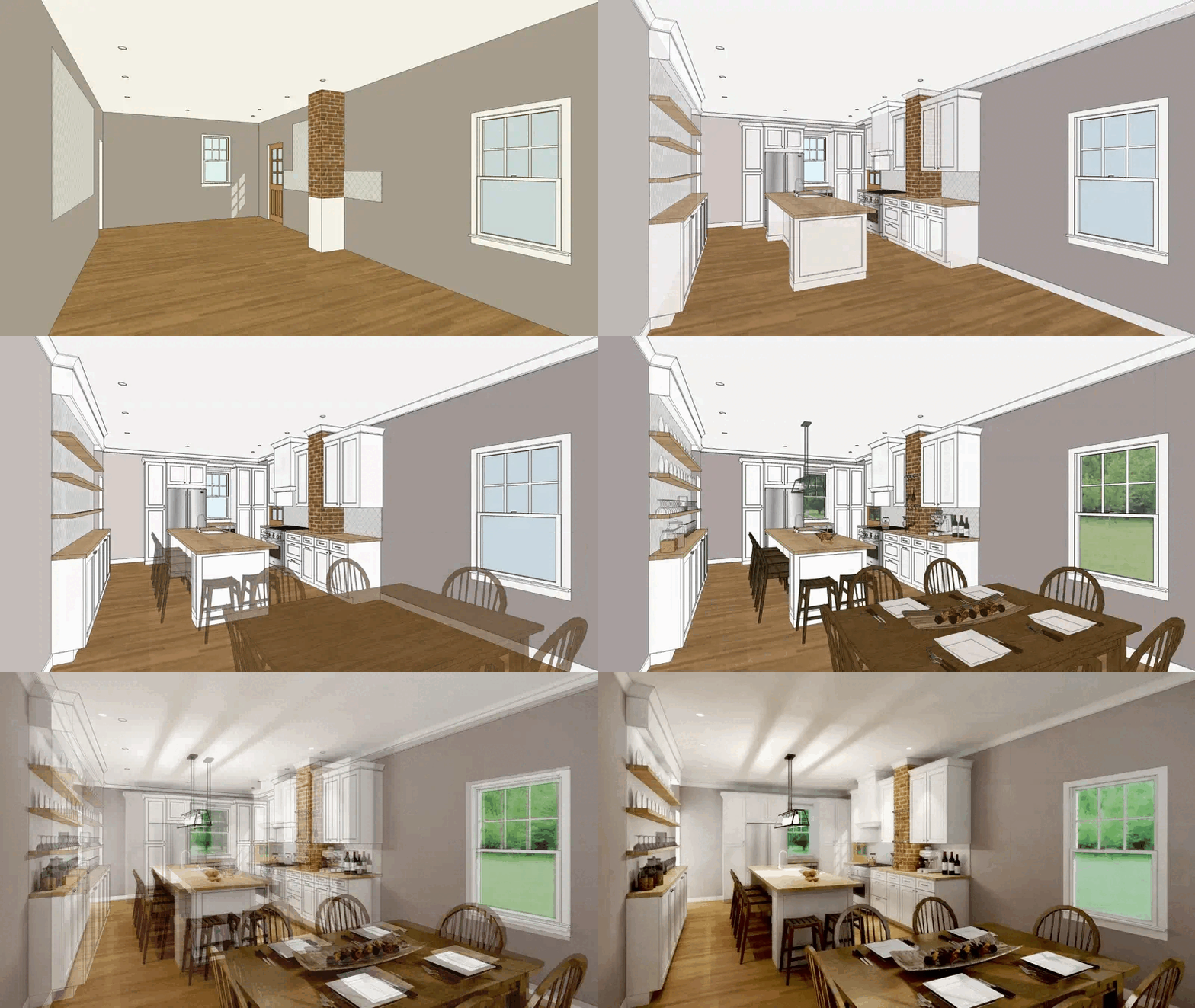
SketchUp Trainer is built around real-world application—not just learning more tools.
Throughout the workshop, we’ll connect what you’re learning to the way actual projects are started, built, organized, changed, and presented.
Who this is for
New to SketchUp—or using it but never feeling like you learned it properly?
This workshop gives you the fundamentals—and a clearer way to apply them to real projects.
This class is for you if:
- You’re new to SketchUp and want to learn it the right way from the beginning
- You’re self-taught and know there are gaps in your workflow
- Your models become disorganized or difficult to edit
- You’re unsure of the best way to start and structure a project
- You want a clearer, more repeatable way to model, organize, and create views
- You want in-person guidance, hands-on practice, and real-time feedback
Great fit for:
- Interior designers
- Architects and architecture students
- Exhibition and experiential designers
- Landscape designers
- Contractors and design-build professionals
- Educators and serious hobbyists
Rather than learning isolated techniques, we’ll work through a practical project workflow:
Reference → Model → Organize → Create Views → Revise → Prepare for What Comes Next
Day 1 – Set Up + Build the Right Foundation
Day 1 starts at the beginning and is completely approachable for new users.
We’ll build the essential skills you need to work confidently in SketchUp while establishing the habits that keep real projects clean and manageable.
Topics include:
- Setting up SketchUp Pro and customizing your workspace
- Navigation, selection, inference, measuring, and accuracy
- Essential drawing tools: Line, Rectangle, Arc, Circle, and more
- Creating and editing 3D forms with Push/Pull, Offset, Move, and related tools
- Understanding loose geometry and building clean, editable models
- Groups vs. Components—and why the difference matters
- Basic model organization
- Creating useful Styles and Scenes
- Live practice, troubleshooting, and Q&A throughout the day
The goal for Day 1:
Learn the fundamentals while building the right habits from the beginning.
Day 2 – Turn the Foundation Into a Repeatable Workflow
On Day 2, we’ll take those fundamentals and apply them to the way real SketchUp projects develop.
Topics include:
- Importing PDFs, drawings, images, and other project references
- Establishing scale and creating a reliable base model
- Organizing and structuring a model using Tags, Components, and visibility controls
- Creating useful Scenes for working, presenting, and returning to important views
- Making project changes and revisions without losing control of the model
- Building reusable Components, starting points, and habits for future projects
- Modeling from photographs and other reference information
- Using extensions where they meaningfully improve the workflow
- Understanding how the model connects to LayOut, rendering, visualization, and what comes next
- Live troubleshooting using workshop exercises and participant examples
The goal for Day 2:
Move beyond knowing SketchUp tools and start developing a way of working you can repeat on your own projects.
Meet Your Teacher
I’m Dan, founder of SketchUpTrainer.com. I’m an educator, designer, and SketchUp expert who has been teaching and working with SketchUp since 2007.
- Nearly 20 years of SketchUp training and consulting experience
- 10 years teaching SketchUp at the college level
- Thousands of architects, designers, and contractors trained

“My approach is interactive and project-based—simple, dependable, and focused on clean models, reliable workflows, and real-world application.
I put a strong emphasis on foundational skills because everything that happens later in a SketchUp project depends on the decisions you make at the beginning.”
What’s included
Your registration includes:
- 2 full days of in-person instruction, demonstrations, guided practice, and troubleshooting
- A 15-minute pre-workshop Discovery Call with Dan
- The opportunity to submit your own project examples or workflow questions before class
- Downloadable practice files and workflows you can reuse
- 12 professional development/contact hours
- Certificate of Completion
- Live Q&A and individual feedback throughout the workshop
- 12 months of the SketchUp Trainer Learning Pass
Included Learning Pass
Your registration includes 12 months of the SketchUp Trainer Learning Pass ($349 value).
That gives you continued access to:
- the full on-demand Course Library
- the Community Hub
- Project Clinics for ongoing support
The goal is for the workshop to be the beginning of better habits—not two days of information you forget as soon as you get home.
Requirements / What to bring
Your class essentials
- Laptop + power cord (Mac or PC)
- 3-button scroll-wheel mouse — highly recommended
- SketchUp Pro installed before class
- Any project examples you’d like to discuss are welcome
This workshop is designed around the desktop version of SketchUp Pro for Mac or PC. It is not designed around SketchUp for iPad or SketchUp Go/web.
Location + travel details
Racquet Club of Philadelphia
Address: 215 S 16th St, Philadelphia, PA 19102
Center City Philadelphia
On-site lodging is available at the Racquet Club of Philadelphia.
The location is easily accessible by regional rail, Amtrak, SEPTA, and Philadelphia International Airport, making the workshop practical for both local attendees and participants traveling into Philadelphia.
Frequently Asked Questions
Is this workshop appropriate for complete beginners?
Yes. Day 1 starts with the fundamentals, so you do not need prior SketchUp experience. The difference is that the tools are taught as part of a larger real-world workflow rather than as disconnected exercises.
I already know some SketchUp. Will this be too basic?
Not necessarily. Many participants are self-taught or have used SketchUp for years without ever developing a consistent way of working. If you know the basic tools but still struggle with organization, workflow, or knowing the best way to build something, this workshop can help fill in those gaps.
Can I bring examples from my own projects?
Absolutely. Participants are encouraged to share models, drawings, PDFs, photographs, or workflow questions before the workshop. Your 15-minute Discovery Call gives us a chance to identify what you most want to address before you arrive.
Will we cover LayOut and rendering?
Yes, but within the context of the overall workflow. The workshop is primarily focused on building a strong SketchUp foundation, while also showing how your model connects to LayOut, presentation, rendering, and visualization.
What’s included with the SketchUp Trainer Learning Pass?
Your registration includes 12 months of the SketchUp Trainer Learning Pass, including the on-demand Course Library, Community Hub, and Project Clinics for continued support after the workshop.
Will the class be recorded?
No. This is a live, in-person workshop and will not be recorded. Your included Learning Pass gives you on-demand lessons and continued support after class.
Where is the workshop held?
The workshop is held at the Racquet Club of Philadelphia in Center City Philadelphia.
Do I receive a certificate?
Yes. Every participant receives a Certificate of Completion for 12 professional development/contact hours.
