
SketchUp Workflow Studio
Live Cohort
Cohort 2 · Starts January 13, 2027
Program length: 14 weeks—12 guided weeks plus 2 weeks of Open Studio
Weekly live sessions: 60-minute Studio Sessions
Private support: One private 60-minute 1:1 session with Dan
Community: Dedicated cohort space for questions, feedback, and project support
Included membership: 12 months of Learning Pass access, including the Course Library, Project Clinics, and Community Hub
New-member access dates: January 13, 2027–January 12, 2028
This 14-week live cohort follows the FRAME Workflow from project setup and model organization through approval views, revisions, and client-ready drawings and presentations. Apply the training to your own projects or work with practice files, with weekly live Studio Sessions and the Community Hub providing opportunities to ask questions, get feedback, and work through the decisions that come up along the way.
The SketchUp Workflow Studio live cohort gives you a guided path, direct support, and time to build a SketchUp workflow you can keep using long after the cohort ends.
Your SketchUp Workflow Studio includes:

12-Month Learning Pass
Continue learning during and after the cohort with access to the Course Library, twice-monthly Project Clinics, and Community Hub.
Two Open Studio Sessions
Bring your models and questions to two additional live sessions to work through project challenges and refine your workflow.
Guided 12-Week Path
Each four-week phase focuses on a different part of the FRAME Workflow.
Studio Session Recordings
Revisit demonstrations and discussions, or catch up on a session you couldn’t attend.
Weekly 60-Min Studio Sessions
For questions, feedback, workflow check-ins, and help applying what you’re learning to real SketchUp projects
One Private 60-Min Session
Work directly with Dan on the part of your SketchUp workflow that matters most to you. The session is recorded so you can revisit the guidance afterward.
Dedicated Cohort Community
Ask questions, share progress, and get support in a cohort-specific channel.
Downloadable Workflow Resources
Use checklists, templates, practice files, and resources to apply the workflow.
Steven Christopher Carey, 3D Visualizer
"Dan's classes and techniques have been a regular part of my toolbox for the better part of a decade. I've taken 3 multi-week sessions with Dan over the years and each session has upped my game to the next level, really enhancing the quality of the renderings and 3D visualizations I'm able to provide my clients.
He's a thoughtful and patient teacher and has always made himself available to me whenever I had a question, whether about SketchUp, rendering softwares, or the 3D design business in general. I would highly recommend his classes to anyone seeking to increase their knowledge or standards in regard to 3D modeling and rendering."
By the end of the cohort, you will have:

Cleaner Setup
Start projects with a more organized structure.
Better Model Organization
Use groups, components, tags, scenes, and styles with more intention.
Presentation Views
Create views that support decisions and client communication.
Revision Confidence
Handle project changes without feeling like you need to start over.
Cleaner Deliverables
Prepare outputs for presentations, PDFs, LayOut, or client review.
A Repeatable Workflow
Know what to do next as you move through real projects.
The cohort is designed to help you build a process step by step —
from setting up your file, to modeling cleanly, to creating approval views, handling revisions, and preparing final deliverables.

Meet Your Teacher & Guide
Learn SketchUp from someone who uses it, teaches it, and solves real project problems with it.
Hi, I’m Dan Brown, founder of SketchUpTrainer.com.
For nearly 20 years, I’ve helped architects, designers, contractors, educators, and creative professionals use SketchUp with more confidence.
I created the FRAME Workflow because most people are taught SketchUp as a collection of tools, but real projects require a process.
The SketchUp Workflow Studio is my way of helping you build that process with guidance — so you can move through SketchUp work with more clarity and control.

Why This Studio Exists
Most SketchUp users do not struggle because they are not capable.
They struggle because they are trying to build real projects with scattered lessons, disconnected tips, and no clear workflow to follow.
You may know the tools, but still feel unsure how everything fits together when a project changes, a client gives feedback, or a deadline is approaching.
The SketchUp Workflow Studio was created to help close that gap.
It gives you a guided way to move through the full project process — from setup to final deliverables — with support along the way.
“I created the FRAME Workflow after years of training SketchUp professionals and using SketchUp in real project work. The biggest challenge I see is that most people are taught SketchUp as a collection of tools. But real projects require a process.”
— Daniel Brown
The cohort is organized around the FRAME steps
FRAME is SketchUp Trainer’s step-by-step workflow for moving through a project from setup to final deliverables. It helps you always know what to work on next — and how each piece fits into a complete project workflow.
F — Foundation
R — Repeatable Workflows
A — Approval Views
M — Manage Revisions
E — Export & Deliver
How the Studio Works
The SketchUp Workflow Studio is organized around four-week focus areas so you can build your workflow one step at a time and includes a weekly 60-minute live Studio Session.
The weekly live sessions are designed to keep you moving without overwhelming your schedule. We’ll use them for questions, workflow check-ins, project feedback, live demonstrations, and support applying the weekly lessons to your own work. The goal is to give you a regular rhythm, a place to ask questions, and a reason to keep making steady progress.
Weeks 1–4
Foundation + Repeatable Workflows
Setup Standards & Project Recipes
Map your workflow and establish a consistent starting process, from workspace settings to project files. Practice building from PDF or CAD plans, checking scale, and keeping references separate from the geometry you create.
Use groups, components, and tags to keep models organized and editable. Clean up 3D Warehouse downloads and build a reusable component library you can carry into future projects.
Weeks 9–12
Export & Deliver
Delivery Pack
Turn your model into drawings and presentations that communicate your design clearly. Bring SketchUp scenes into LayOut, set up scaled views, and add dimensions and annotations to build a coordinated drawing set.
Explore visualization options and choose the right output for your project. Practice keeping drawings connected as your model changes, and prepare clear exports for client reviews, presentations, and project handoffs.
Weeks 5–8
Approval Views + Manage Revisions
Decision Set + Update Loop
Create scenes, sections, and styles that help clients understand your design and compare options. Decide what each view needs to show, control visibility, and organize a clear set of views for review.
Develop a repeatable process for applying client feedback, managing alternate versions, and updating your model. Keep geometry, tags, and scenes coordinated so changes carry through to the views you share.
Weeks 13–14
Open Studio
Workflow Review
Use these final two sessions to work through project challenges and refine how you apply FRAME to your own work. Bring a model, screenshots, or questions for feedback and clear next steps.

Keep Making Progress
Follow the weekly sequence while giving yourself room to practice. Revisit lessons and recordings when you need to, and bring questions to Studio Sessions or the cohort community as they come up.
You don’t need to perfect every step before moving forward. Use the final two Open Studio sessions to revisit challenges, get feedback, and refine how the workflow fits your own projects.
How the Private Studio Session Works
Your registration includes one private 60-minute 1:1 session with Dan during the guided cohort.
Before the session, you can send over a SketchUp file, screenshots, project examples, or a list of questions so we can use the hour efficiently.
We can focus on your model organization, project setup, scenes, revisions, deliverables, a specific workflow problem, or whatever part of FRAME is most relevant to your work.
The session is recorded so you can revisit the guidance afterward, and you’ll leave with clear next steps to keep moving.
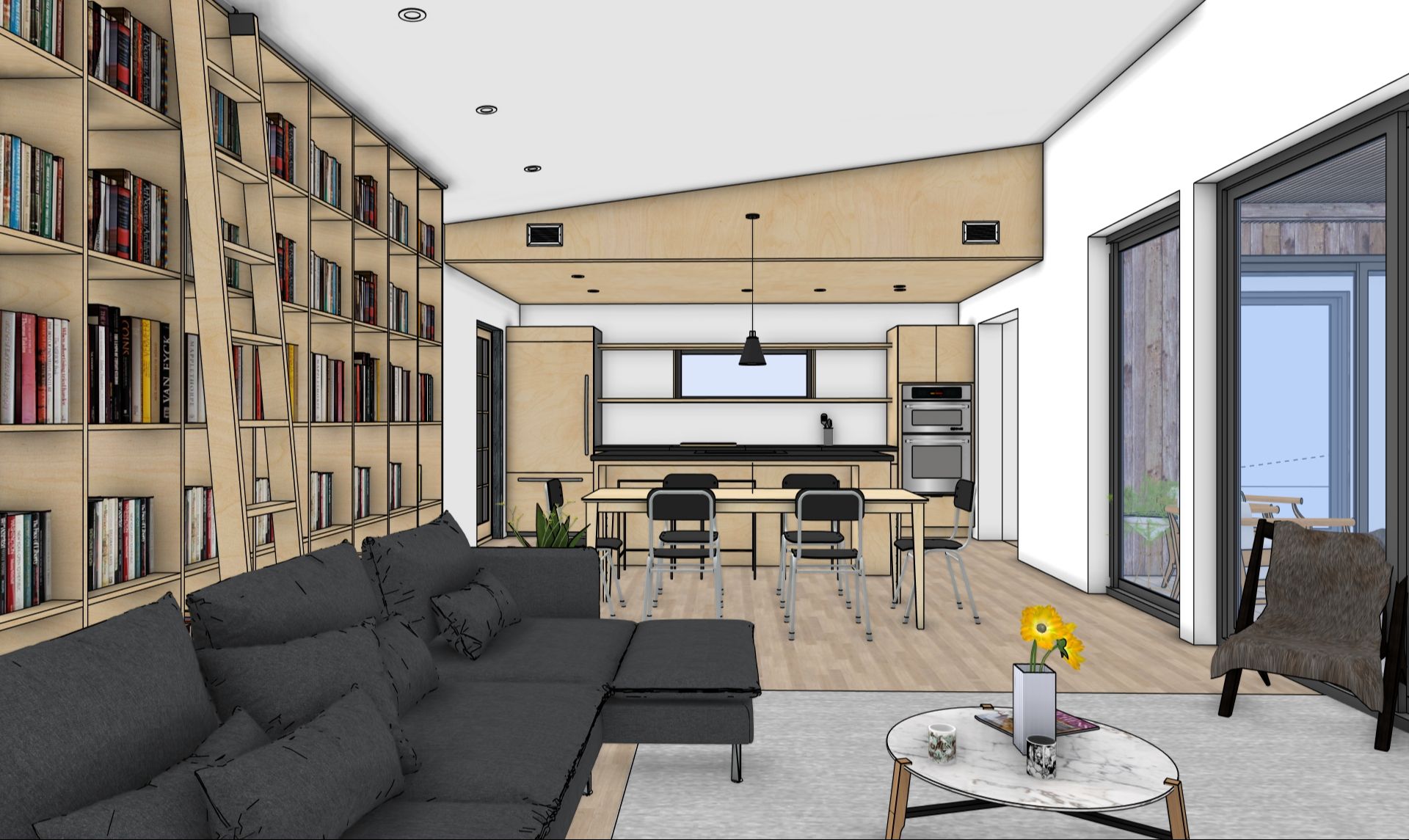
SketchUp Workflow Studio — Live Cohort
Starts: January 13, 2027
Program length: 14 weeks—12 guided weeks plus 2 Open Studio sessions
Weekly live sessions: 60-minute Studio Sessions
Private support: One private 60-minute 1:1 session
Community: Dedicated cohort space for questions, feedback, and project support
Included membership: 12 months of Learning Pass access, including the Course Library, Project Clinics, and Community Hub
New-member access dates: January 13, 2027–January 12, 2028
🏷️$995
Already have an active Learning Pass? Reach out for member pricing.
Is the SketchUp Workflow Studio right for me?
The SketchUp Workflow Studio is a strong fit if you already use SketchUp, but your process feels scattered or hard to repeat.
It is designed for working professionals who want cleaner models, better organization, stronger presentation views, and a clearer path from project setup to final deliverables.
This is especially helpful for interior designers, architects, landscape designers, educators, contractors, and design professionals who want guided SketchUp workflow training — not just disconnected tutorials.

John Michael Nixa, Owner & President, West Side Lumber
"Daniel was a pleasure to work with. Very knowledgeable and easy to work with. He asks all the right questions and ensures you get what you are looking for from his trainings. I would highly recommend him for anyone looking to learn SketchUp."
Frequently Asked Questions
What is the SketchUp Workflow Studio?
The SketchUp Workflow Studio Live Cohort is a 14-week program for people who know the basics and want to bring their SketchUp skills together into a dependable process.
Work directly with Dan through the FRAME Workflow—from cleaner project setup and modeling to approval views, revisions, and client-ready deliverables. Your registration includes 12 guided weeks, two Open Studio sessions, one private 60-minute session, and a dedicated cohort community.
You’ll also receive 12 months of Learning Pass access, including the Course Library, Project Clinics, and Community Hub, so your learning and support continue after the cohort ends.
Who is the SketchUp Workflow Studio for?
The live cohort is for design professionals who know the SketchUp basics and want a more dependable way to move from an idea to a model, through revisions, and into drawings and presentations.
It’s especially useful if you can model but struggle to keep files organized, prepare clear client views, or make changes without creating extra work. You’ll connect those skills through a guided process, with Dan’s feedback as you practice.
Interior designers, architects, landscape designers, exhibit designers, contractors, and educators can apply the workflow to their own work.
What makes FRAME different?
FRAME is not just a list of SketchUp tools. It is a workflow for moving through real projects with more clarity and control. Instead of jumping from one tutorial to another, FRAME helps you understand what to do next: how to set up your file, build cleanly, create useful views, manage revisions, and prepare final deliverables. The Studio gives you guidance while you apply that workflow.
Do I need to be advanced in SketchUp?
No—you don’t need to be advanced, but you should know the basics of navigating and modeling in SketchUp. The live cohort helps you connect those skills into a more organized, repeatable workflow, with guidance as you apply it to your projects.
If you’re brand new to SketchUp, start with our in-person Foundations workshop, live virtual SketchUp 101 course, or beginner courses in the Learning Pass. If you’re unsure where to begin, reach out and Dan can help you choose.
Is this live or self-paced?
Both. Follow a guided weekly sequence of self-paced lessons and practice, then meet with Dan and the cohort for a live 60-minute Studio Session to ask questions, see demonstrations, and get feedback on your work.
You can revisit lessons and session recordings as needed, and use the dedicated cohort community for questions between sessions. The final two weeks are Open Studio sessions to work through project challenges and refine your workflow.
How often do we meet live?
We meet weekly for a 60-minute Studio Session throughout the 14-week cohort: 12 guided sessions followed by two Open Studio sessions.
Guided sessions include demonstrations, questions, project feedback, and help applying the weekly lessons. The final two Open Studio sessions give you time to revisit challenges and refine your workflow.
Your registration also includes one private 60-minute session with Dan, scheduled separately.
What is included with the Studio?
Your live cohort registration includes:
-
12 guided weeks following the FRAME Workflow
-
Weekly 60-minute live Studio Sessions
-
Two additional Open Studio sessions for project questions and workflow review
-
One private 60-minute 1:1 session with Dan
-
Studio Session recordings to revisit or catch up
-
A dedicated cohort community for questions, feedback, and project support
-
Downloadable workflow resources and practice files
-
12 months of Learning Pass access, including the Course Library, twice-monthly Project Clinics, and Community Hub
Work with practice files or bring your own projects, with guidance to help you apply what you’re learning.
What will I be able to do by the end?
By the end of the Studio, the goal is for you to have a clearer, more repeatable SketchUp workflow. You’ll understand how to move through a project from setup to modeling, scenes, revisions, presentation views, and final deliverables.
You should leave with a more dependable process for opening a SketchUp file, knowing where to start, keeping your model organized, creating useful views, managing changes, and preparing outputs for review or presentation.
What happens in the private 1:1 session?
Your private 60-minute session is focused on the part of your workflow where direct guidance will be most useful. You can send Dan a SketchUp file, screenshots, or questions ahead of time, and use the session to work through a real project issue, review your workflow, or get help deciding what to focus on next. The session is recorded, and you’ll leave with clear next steps.
Will I work on my own project?
Yes—you’re encouraged to bring a project that makes the training relevant to your work. Apply the weekly lessons to your model and bring questions, screenshots, or progress to Studio Sessions and the cohort community for feedback.
You can also use the provided practice files, or combine both approaches. Your private session with Dan is an opportunity to review your project and work through the decisions where individual guidance would help most.
What if I do not have a project to work on?
That is okay. You can still work through the Studio using practice files, examples, and guided exercises. The goal is to help you understand the workflow so you can apply it when your next project comes along.
If you are not sure what to use, Dan can help you choose a starting point during your private 1:1 session.
How is this different from the Learning Pass?
The Learning Pass gives you flexible, self-paced access to the Course Library, twice-monthly Project Clinics, and Community Hub. Choose what to learn based on the projects and questions in front of you.
The live cohort adds a shared schedule and guided progression through the FRAME Workflow. Work directly with Dan through 12 guided weeks, two Open Studio sessions, a dedicated cohort community, and one private 60-minute session.
Your cohort registration includes a year of Learning Pass access. Already a member? Reach out for member pricing.
I’m already a Learning Pass member. Can I join?
Yes! Reach out before registering so we can confirm your member pricing and arrange your cohort upgrade.
You’ll receive the full live cohort experience, including weekly Studio Sessions, two Open Studio sessions, the dedicated cohort community, and one private 60-minute session with Dan.
Your registration also adds 12 months to your existing membership access. We’ll confirm your updated access dates and any billing adjustments with you when arranging your upgrade.
Will I keep access to the lessons after the Studio ends?
Yes. Your cohort registration includes 12 months of Learning Pass access, so you can continue using the Course Library, attending twice-monthly Project Clinics, and asking questions in the Community Hub after the live cohort ends.
For new members, the included year begins when your cohort starts. Existing members receive an additional 12 months of membership access, with dates confirmed when we arrange your upgrade.
After your included year, you can continue your membership at the available monthly or annual rate.
What software do I need?
You’ll need SketchUp Pro for desktop on a Mac or Windows computer, including LayOut for the drawing and documentation portions of the cohort. A three-button mouse with a scroll wheel is strongly recommended.
Enscape and other visualization tools may be demonstrated as optional ways to present your work. You don’t need to purchase them to participate.
Is this for SketchUp for iPad or SketchUp Go?
The Studio is designed primarily for SketchUp Pro on Mac or PC.
Some concepts may apply to other versions of SketchUp, but the guided workflow, examples, and support will be focused on the desktop version.
What if I cannot attend every live session?
Live Studio Sessions are recorded, so you can catch up if you miss one or revisit a demonstration later. Continue following the weekly lessons and use the dedicated cohort community to ask questions and share your progress between sessions.
You’ll get the most from attending live when you can, but you can stay involved and keep moving forward even when your schedule gets in the way.
How much time should I expect to spend each week?
Plan for about 2–4 hours each week, including your 60-minute live Studio Session and time for lessons and practice. Your time will vary depending on your experience and how much you apply to your own projects.
You don’t need to perfect everything before the next session. Bring questions as they come up, revisit recordings when needed, and focus on building habits you can carry into your everyday work.
Is this private training?
Not exactly. Private training is fully customized around your schedule, team, and project needs. The SketchUp Workflow Studio is a guided cohort with a defined path, live support, community support, and one private 1:1 session.
If you want a structured way to improve your SketchUp workflow with some personal guidance, the Studio is a strong fit. If you need fully customized training for a team or deadline-specific project, private training may be a better option.
Can teams join?
Yes, but the Studio is currently designed around individual registration.
If you are interested in enrolling multiple team members, please contact us so we can recommend the best option. Depending on your goals, a team training package may be a better fit.
Can I use this for continuing education or professional development hours?
The live cohort includes 14 hours of group Studio Sessions and one private 60-minute session with Dan, for a total of 15 scheduled live hours. Independent lessons, practice, and project work provide additional learning time.
Participants who complete the program receive a Certificate of Completion. Participation documentation is available upon request. If you need credit toward a specific professional requirement, check with your organization or licensing body to confirm what they accept.
Will there be a certificate of completion?
Yes. Participants who complete the live cohort receive a Certificate of Completion recognizing the SketchUp workflow topics covered.
If you need documentation for your employer or professional development records, you can also request a participation letter detailing the program topics, schedule, and your participation.
Is this refundable?
Please review the refund and cancellation policy before registering. Once the Studio begins, refunds may be limited or unavailable due to the guided nature of the program and access to digital materials.
Is this right for me if I only need help with one specific issue?
Maybe. If that issue is part of a larger pattern — messy files, unclear setup, difficult revisions, inconsistent views, or trouble getting to final deliverables — the Studio is a great long-term fit because it helps you build a stronger overall workflow.
